Step 1
One-line spec
Open Cirona. Type one SPEC line in the right-hand chat panel.
DC gain ≥ 70 dB, GBW 50 MHz, phase margin > 60°, load cap = 1 pF, power < 500 µW; process vpdk180nm, Vdd = 1.8 V
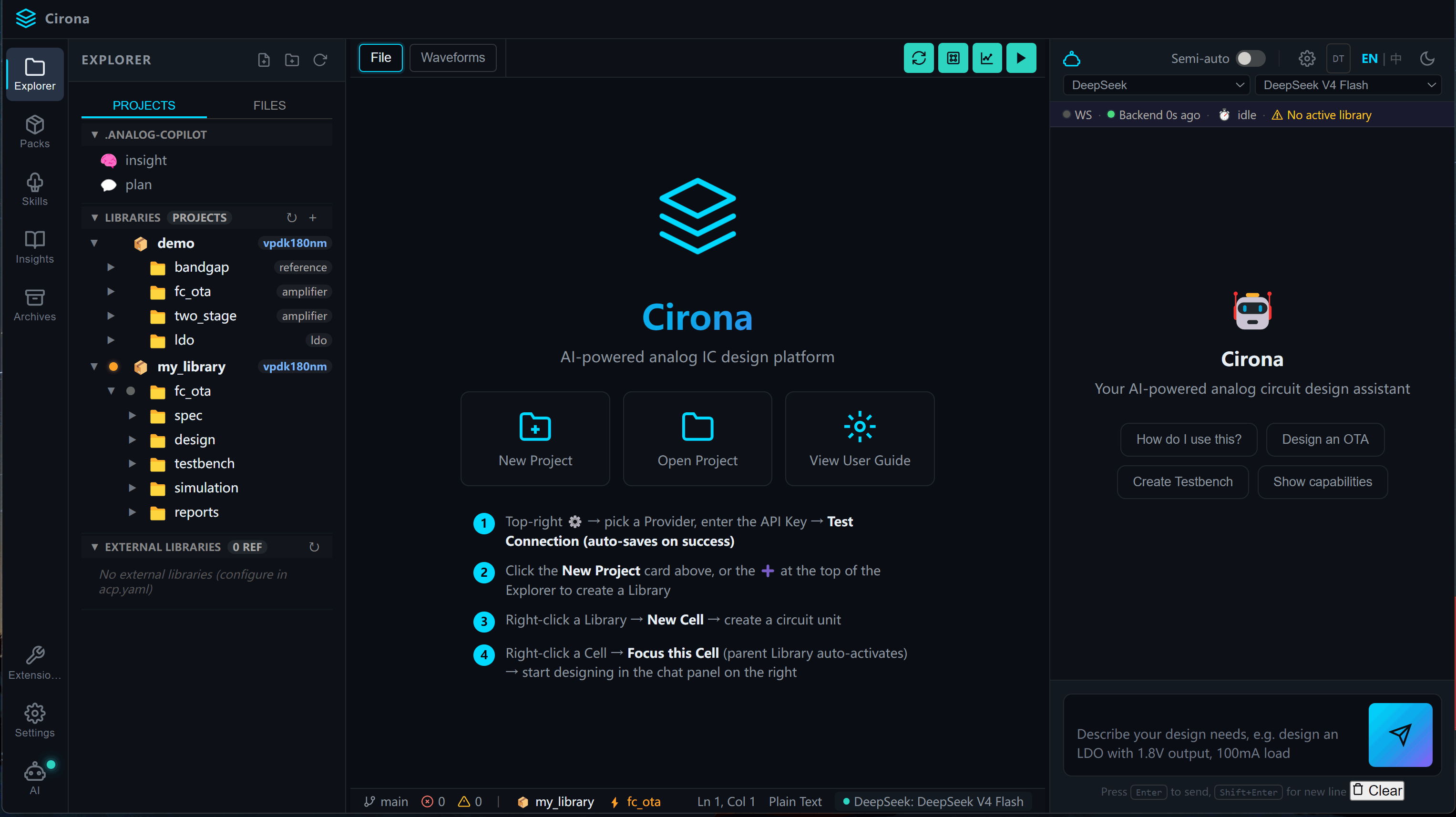
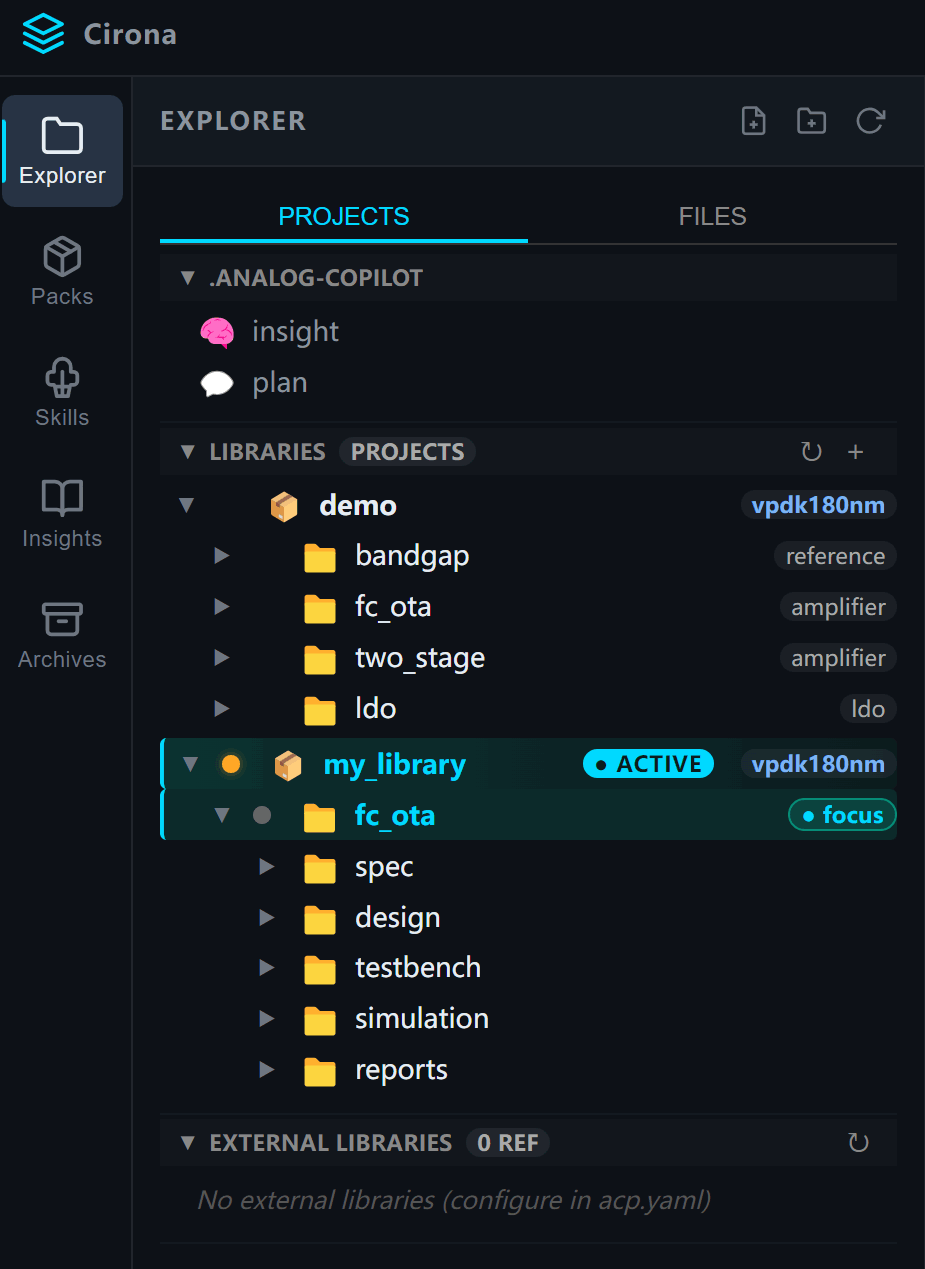
Cirona Desktop is an AI workbench for analog circuit design that runs on your PC. Built for engineers who burn most of their day on testbenches, sizing iterations, and corner verification.
After the recent surge of AI coding tools, the industry has applied general-purpose agents to chip design and published widely on the topic. Research labs have built domain-specific agents for chip design too. Important work — meaningful exploration toward bringing AI into chip work. But what engineers really care about is: when can we actually use any of this conveniently?
We're shipping something different: an out-of-the-box, AI-native development platform for analog circuit design — Cirona.
Note: vpdk = virtual PDK. Across foundries, the key device parameters of each generation (Vth / μCox / Vsat) tend to be similar — only the exact numbers differ. Real PDKs cannot be redistributed for legal reasons. We provide vpdk as a generic reference. A circuit designed on vpdk maps to a real foundry process with the same topology, sizing approach, and bias strategy — only fine parameter tweaks needed.
DC gain ≥ 70 dB, GBW 50 MHz, phase margin > 60°, load cap = 1 pF, power < 500 µW; process vpdk180nm, Vdd = 1.8 V
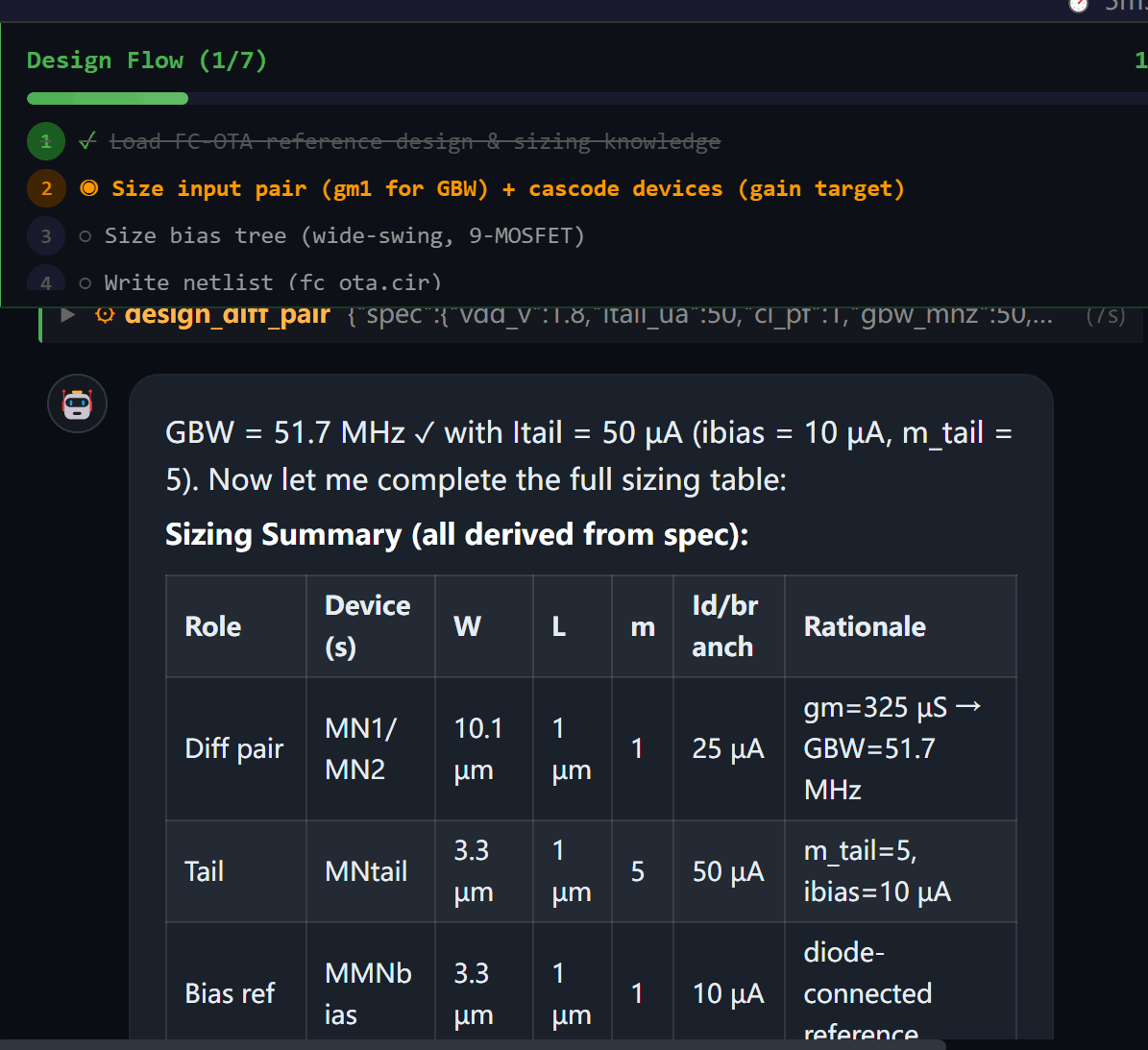
Cirona looks up the OTA design flow inside the Pack knowledge base. The AI picks a topology from the SPEC, back-solves gm from GBW, back-solves current from power, allocates headroom by transistor role, and so on — getting W/L from the table.
Every formula and reasoning step is grounded. The user can interrupt and adjust at any point.
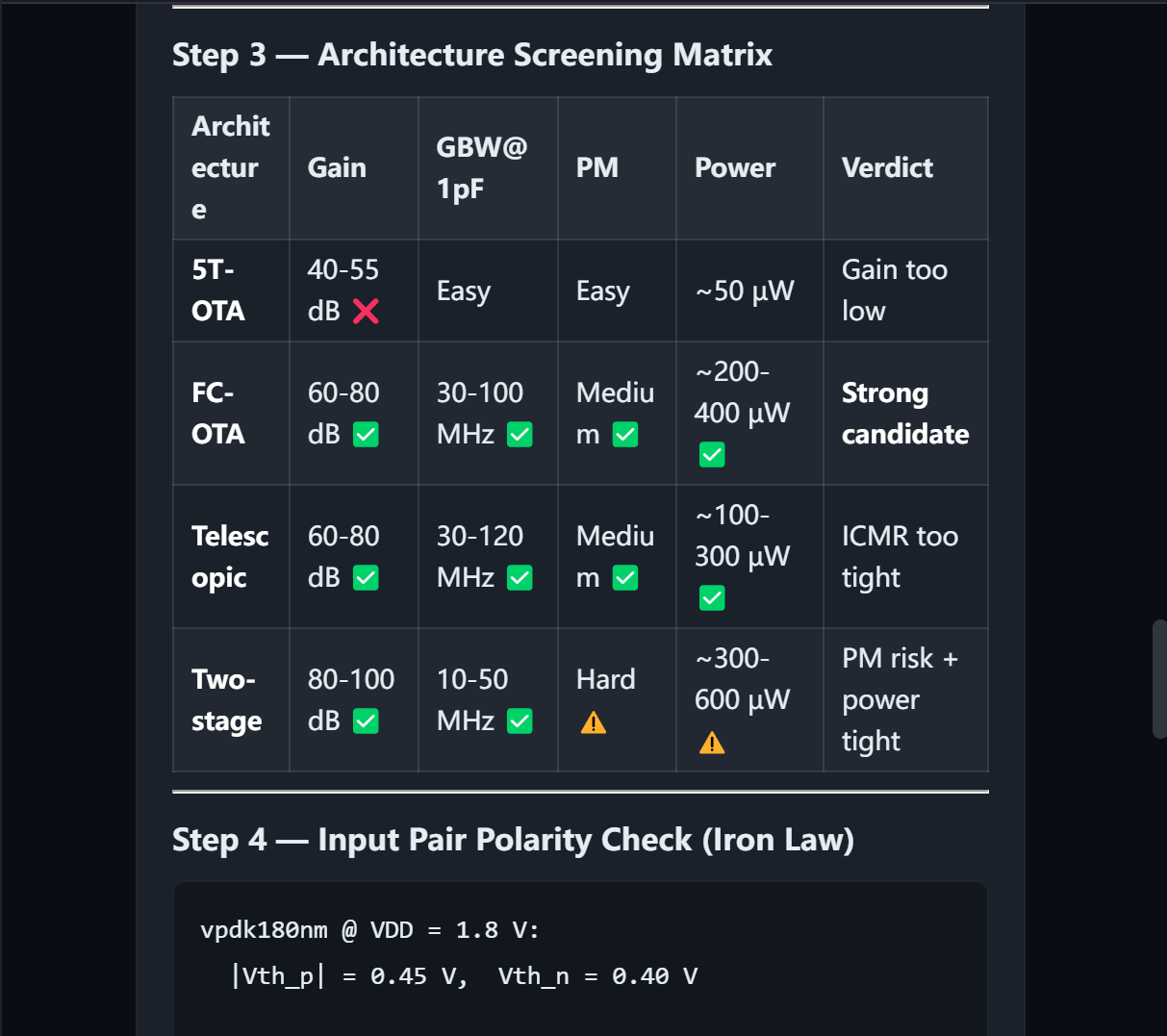
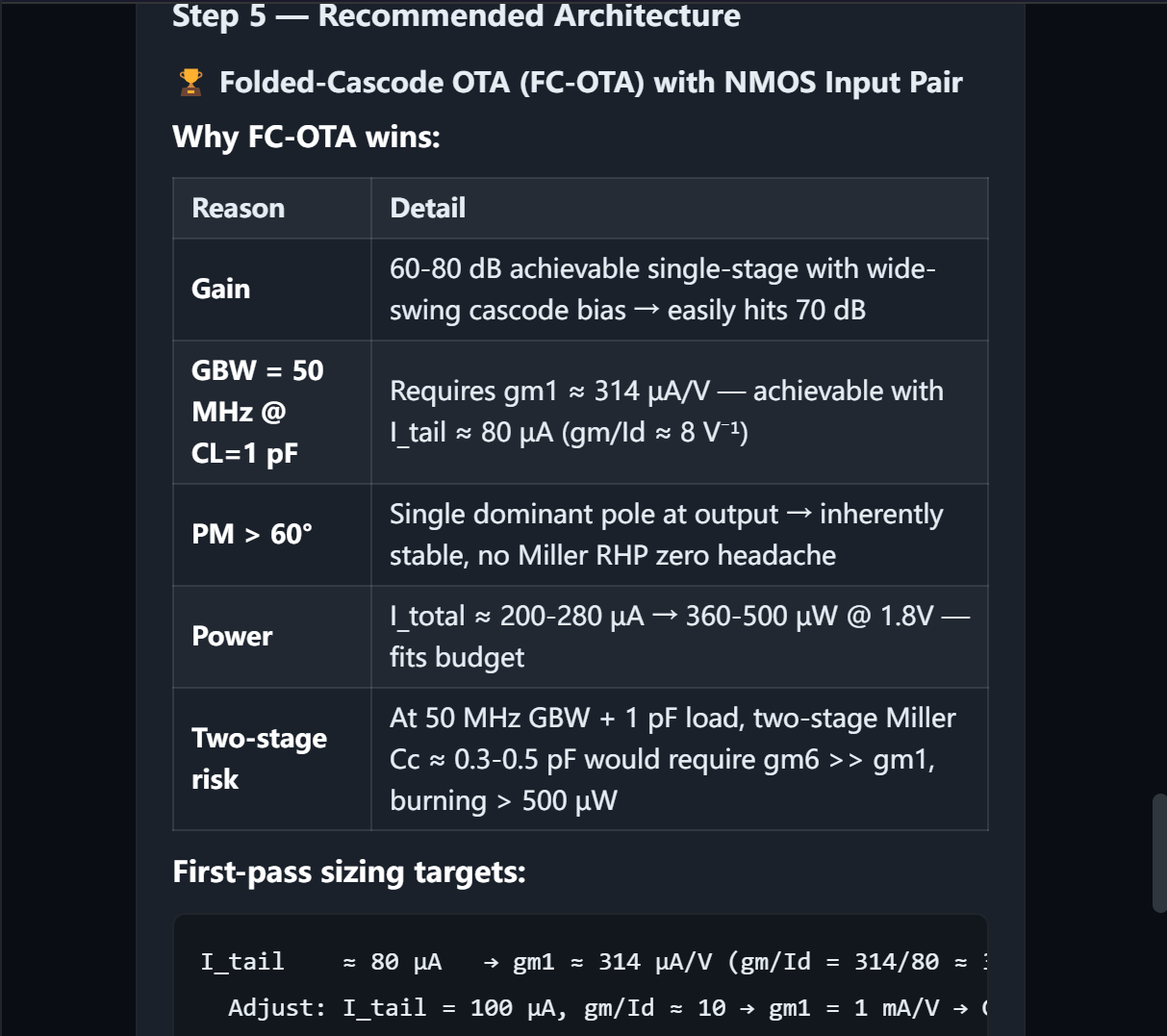
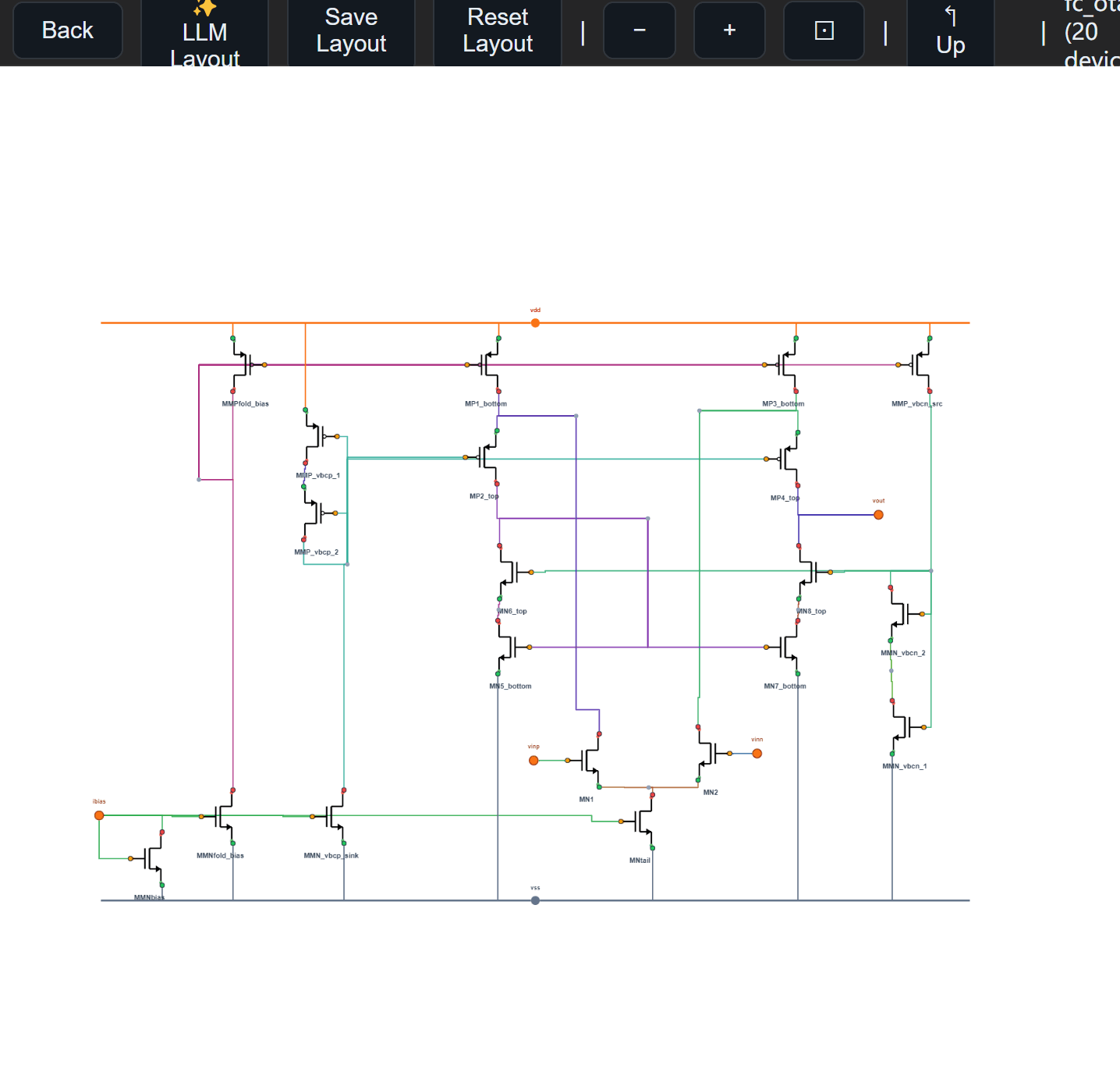
The netlist renders into a schematic automatically, so the engineer can review the actual circuit.
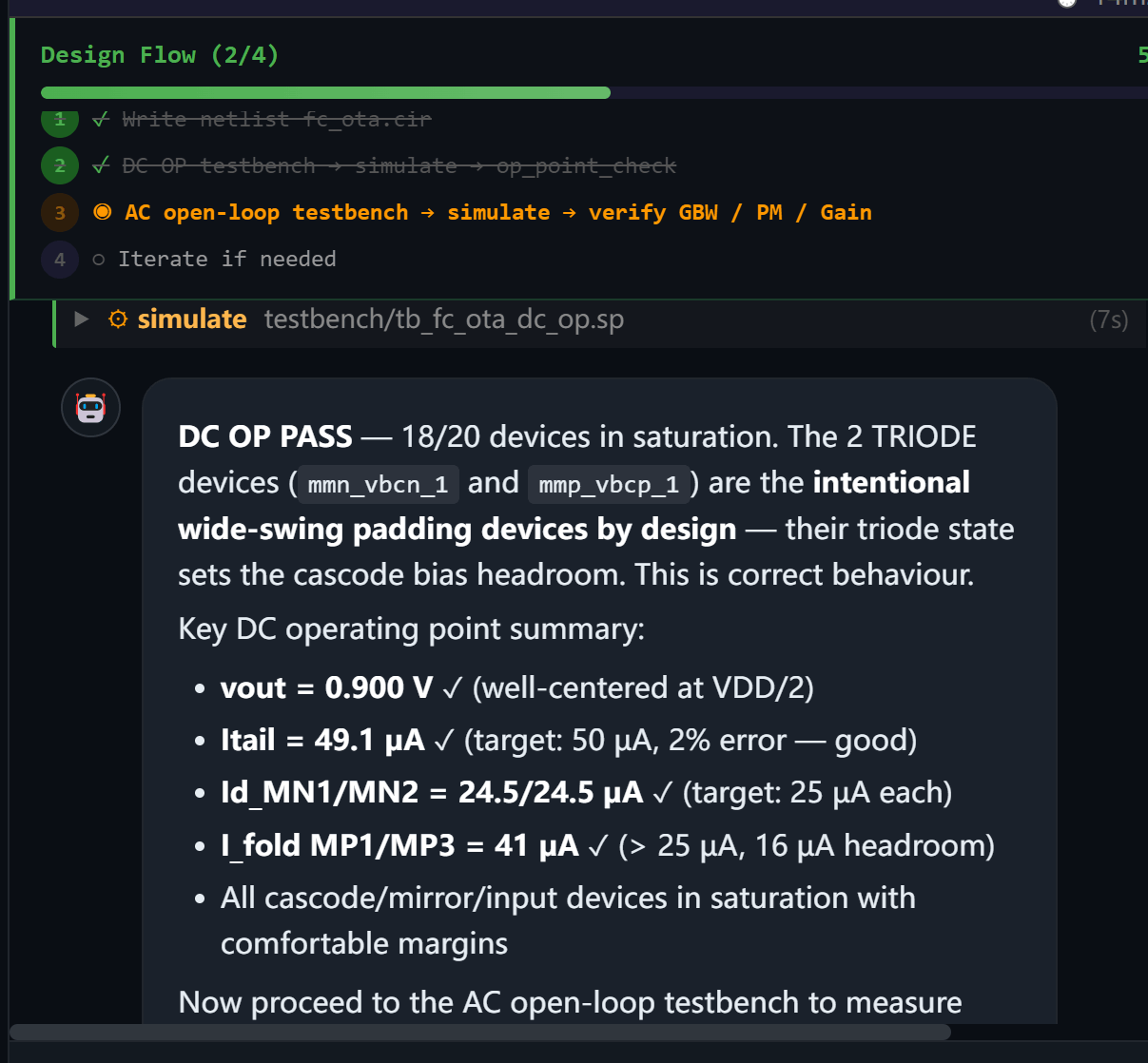
When simulation finishes, every device's gm, ID, Vds, Vov appears in a table — saturation status visible at a glance. Bode plots, transient waveforms, node voltages all show up where you expect them.
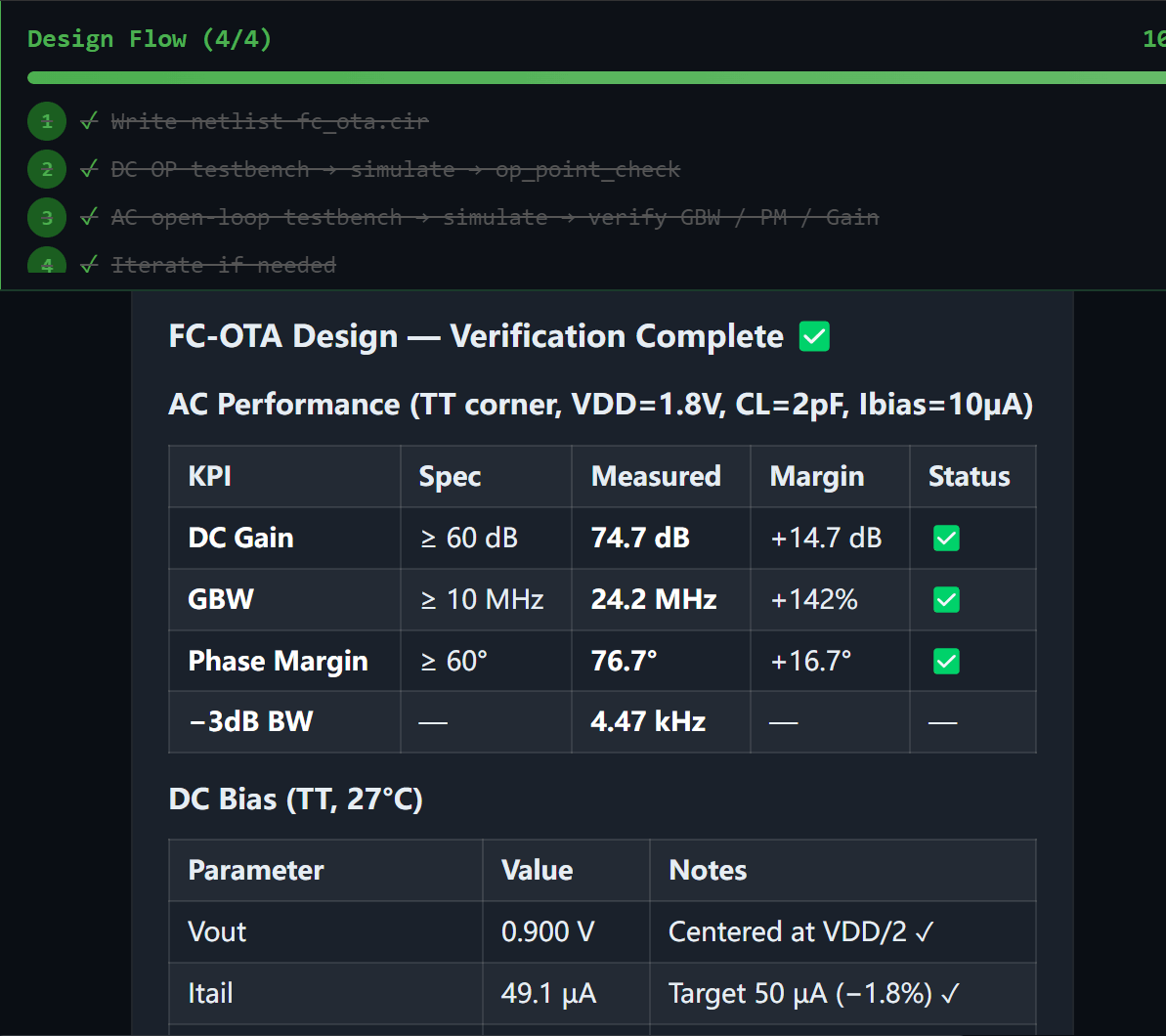
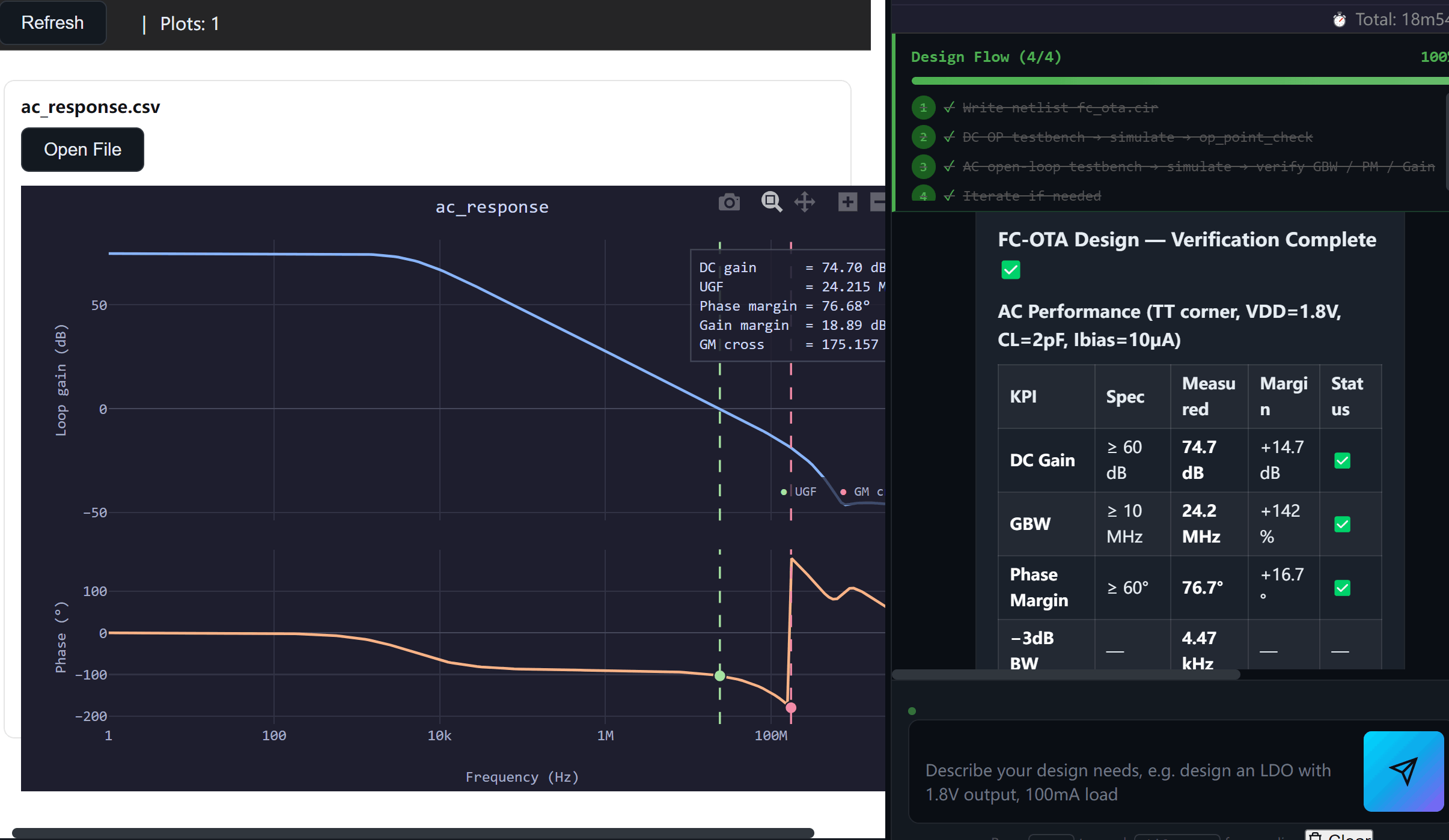
Now one sentence:
Run an 80-trial optimization, maximize GBW, DC gain ≥ 70 dB, PM > 60°, 4-way concurrency.
Built-in Bayesian / CMA-ES / NSGA-II multi-objective optimizers. You see the achievable frontier of “gain vs power vs bandwidth” — not a single point.
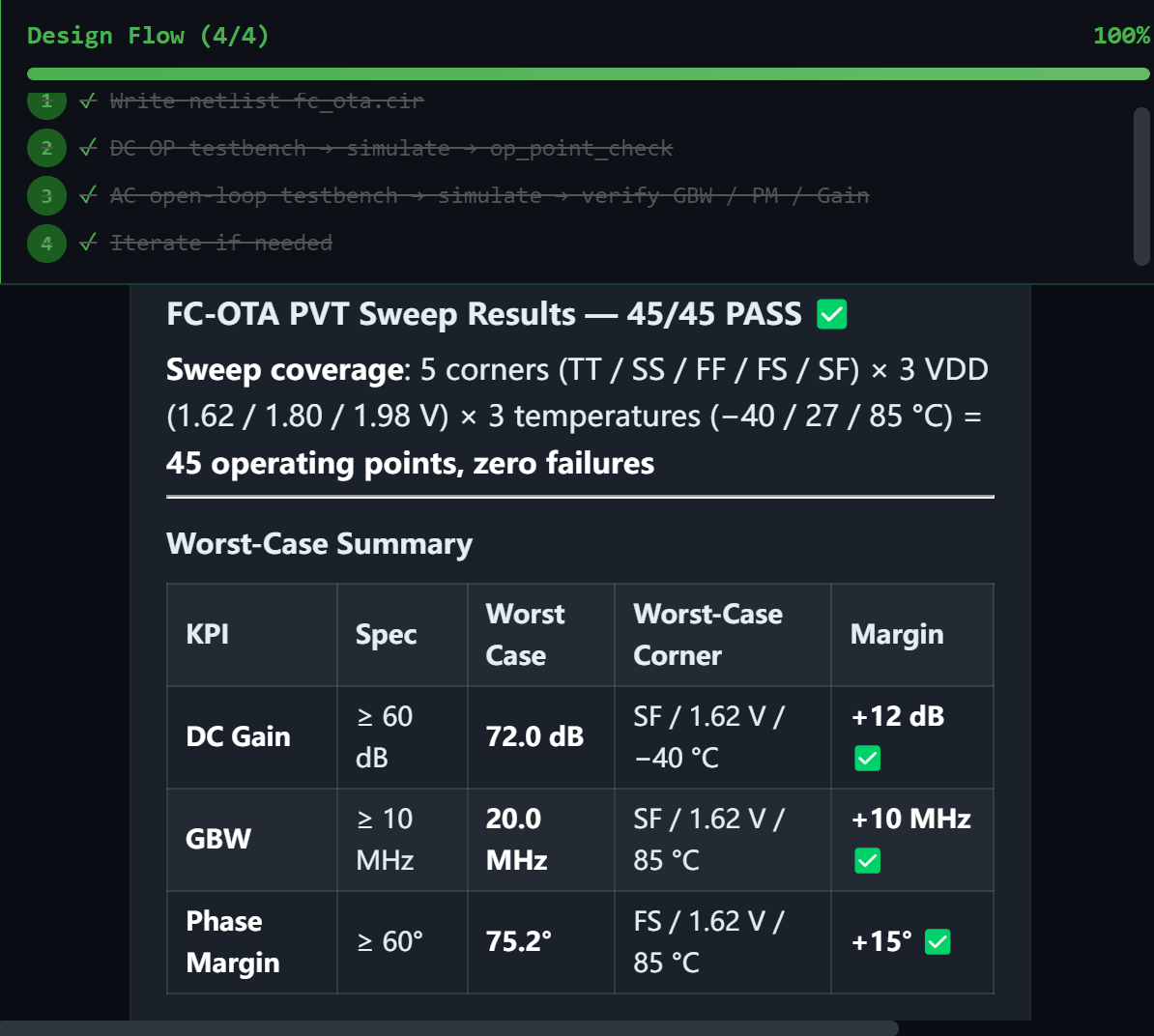
This run's netlist, bias strategy, and the traps you hit get bundled into a Pack. Next time the same topology comes up, install your Pack and the AI delivers the design seamlessly.
Cirona executes ~80% of the work: sizing derivation, testbench writing, parameter optimization, data wrangling. But the key calls stay with the engineer: architecture direction, spec tradeoffs, what to verify. Every intermediate artifact surfaces in reviewable form: schematics, tables, Bode plots.
Cirona is the assistant that handles the tedious work. The engineer's thinking is still at the core.
The greybeard analog wizard at your company — three decades of experience, head full of analog circuit know-how and traps, like: an architecture that breaks under a process change; LDO instability driven by output-current-dependent zero/pole shifts; a bandgap startup yield bug from a poorly designed startup circuit; the SDM-ADC capacitor-array mismatch fix.
None of it was ever written down. The day he retires, all of it walks out with him.
With Packs, an engineer's experience is preserved — permanently.
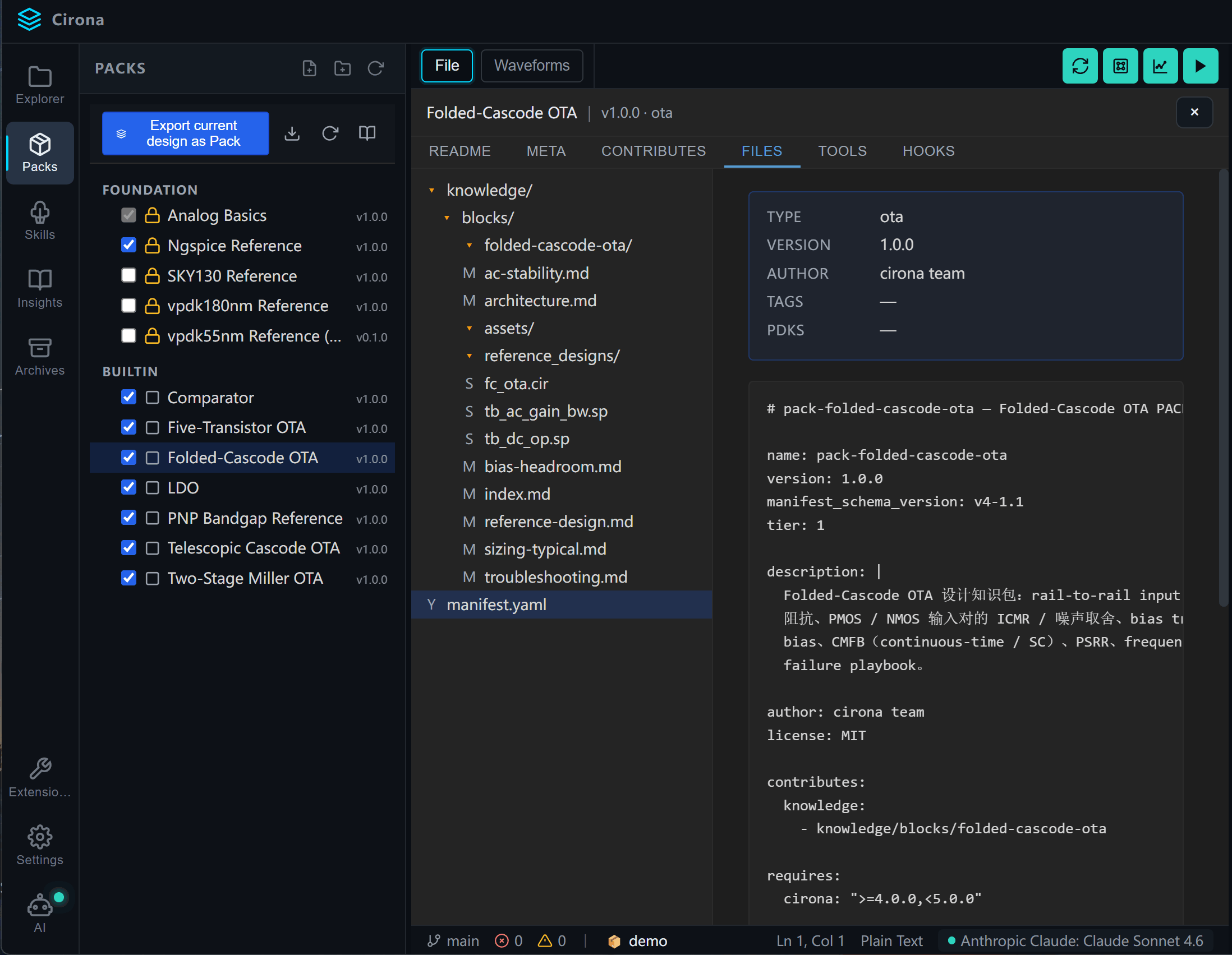
What is a Pack? Pack is short for knowledge package — a collection of circuit knowledge, design flow, and experience.
A Pack is organized as a directory. For example, the folded-cascode_ota Pack contains overview.md (what the topology is), design_flow.md (the design flow), reference_designs/ (reference netlists), failure_playbook.md (failure cases + diagnoses), lessons.yaml (historical lessons), skills/ (Pack-specific skills).
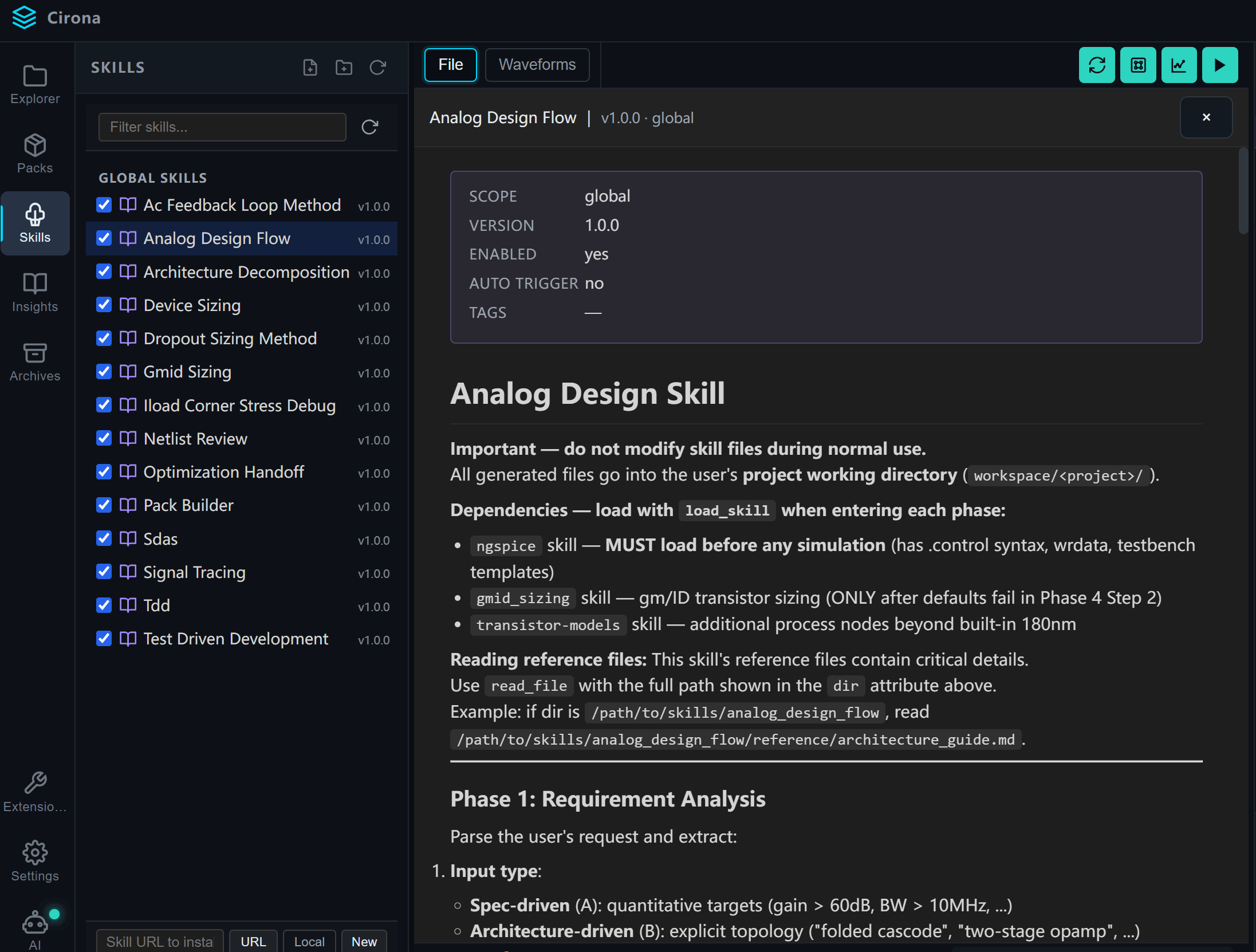
Skills are a hot concept in the AI space right now. A Skill is a prompt template describing how to do a class of work — generic, decoupled from industry and process. That paradigm fits general-purpose agents. It doesn't survive contact with analog IC.
The current build includes Analog Design Flow, Device Sizing, Netlist Review, SDAS (Spec-Driven Architecture Screening), and more — accessible from the Skill panel on the left of the UI. You can drop in your own Skills too.
The simplest path: after finishing a design, type into the chat window — “Please bundle this design method and flow into a Pack.” Cirona walks you through the rest, dropping the Pack into your local working directory.
One engineer ships a Pack for a new topology — every agent with that Pack installed gains a new capability. A thousand engineers each contributing one Pack — the agent gains a thousand capabilities.
This is what we care about most. The Pack repo is hosted on GitHub under GPL-3.0 — source fully open, derivative Packs stay open-source so the community keeps compounding. We hope it becomes an open-source community where everyone contributes Packs and AI's analog circuit design ability keeps growing.
We've already written the first batch of Packs (OTA family / LDO / Bandgap / Comparator). The next round of Pack library expansion is in progress — covering ADC / PLL / more OTA variants (class-AB, three-stage opamp, etc.). Contributions are welcome.
Linux environment + HSpice / Spectre simulators + Virtuoso integration.
In progressOn-prem LLM deployment, customized to enterprise requirements.
PlannedRuns locally. Bundled SPICE simulator, mainstream open-source PDKs included.
v0.9.1 · 2026-06-05
Linux-1.0
(TBD)
Take AI in the analog IC vertical from “looks like it works” to “does it right, repeatedly.”